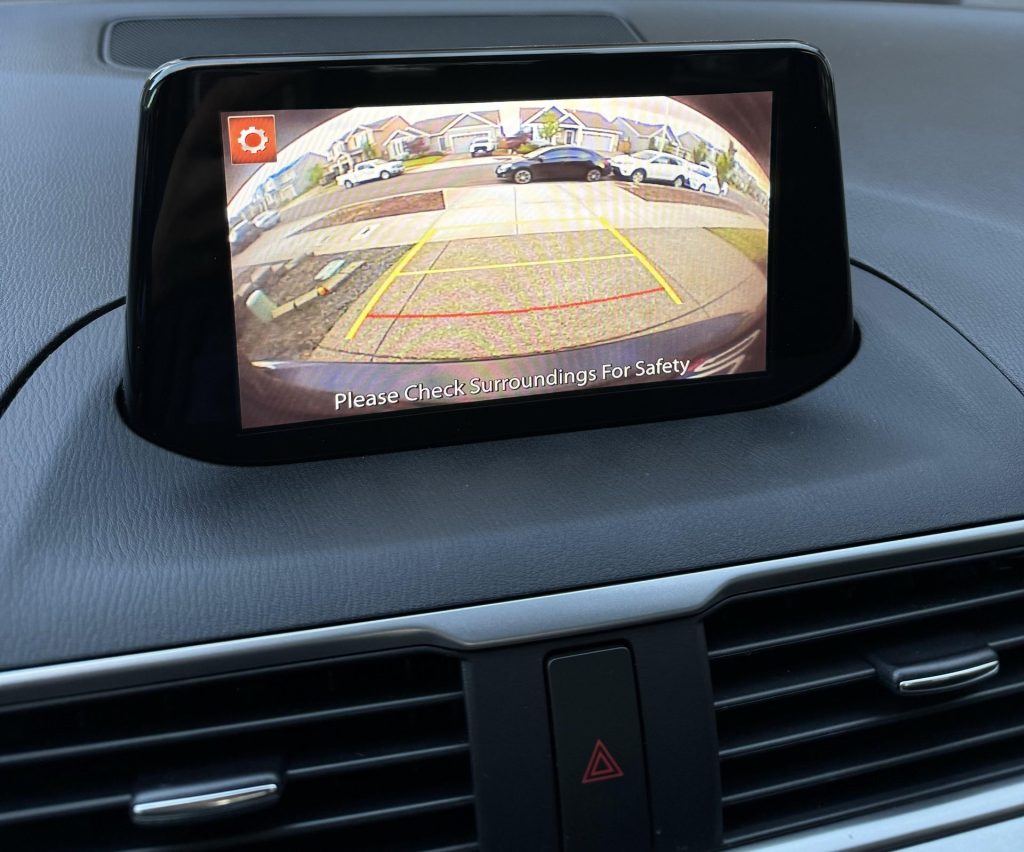
Have you ever found yourself squinting and straining your neck while reversing your car, wishing you had eyes in the back of your head? You’re not alone.
Many drivers today are looking for ways to enhance their driving experience and safety. One of the most popular solutions is installing a backup camera. But here’s the burning question: can you install a backup camera on any car? Imagine the peace of mind knowing you can effortlessly navigate tight parking spots and safely back out of your driveway.
We’ll explore whether you can equip any car with this modern-day marvel, and how doing so could transform your driving experience. Keep reading to discover the ins and outs of backup camera installation and how it can make your daily drives smoother and safer.
Backup Camera Basics
Backup cameras help drivers see behind their cars. They show a live video on a screen inside the vehicle.
Many cars now come with backup cameras. You can also add one to older cars.
What Is A Backup Camera
A backup camera is a small video camera placed at the rear of a car. It sends images to a screen inside the car.
The camera helps drivers see obstacles and people behind the vehicle. It activates when the car shifts into reverse.
- Small camera mounted near the license plate
- Wired or wireless connection to the display
- Screen shows real-time video of the rear
- Helps with parking and reversing safely
Benefits Of Having One
A backup camera improves safety and convenience. It reduces blind spots behind the car.
Drivers can park easier and avoid hitting objects or people. It also helps with hooking up trailers.
- Increases rear visibility
- Helps prevent accidents and injuries
- Makes parking in tight spaces easier
- Assists in connecting trailers
- Provides peace of mind when reversing

Credit: autopartia.com
Types Of Backup Cameras
Backup cameras help drivers see behind their cars. They improve safety while parking or reversing. There are several types of backup cameras you can install.
Understanding the different kinds can help you pick the right one for your vehicle. This guide covers wired cameras, wireless cameras, and integrated versus aftermarket options.
Wired Cameras
Wired backup cameras connect to your car’s display using cables. They usually offer a stable and clear video signal. Installation may take more time because of running wires through the car.
These cameras often provide better image quality and reliability. The cables connect the camera to a monitor on the dashboard or rearview mirror.
Wireless Cameras
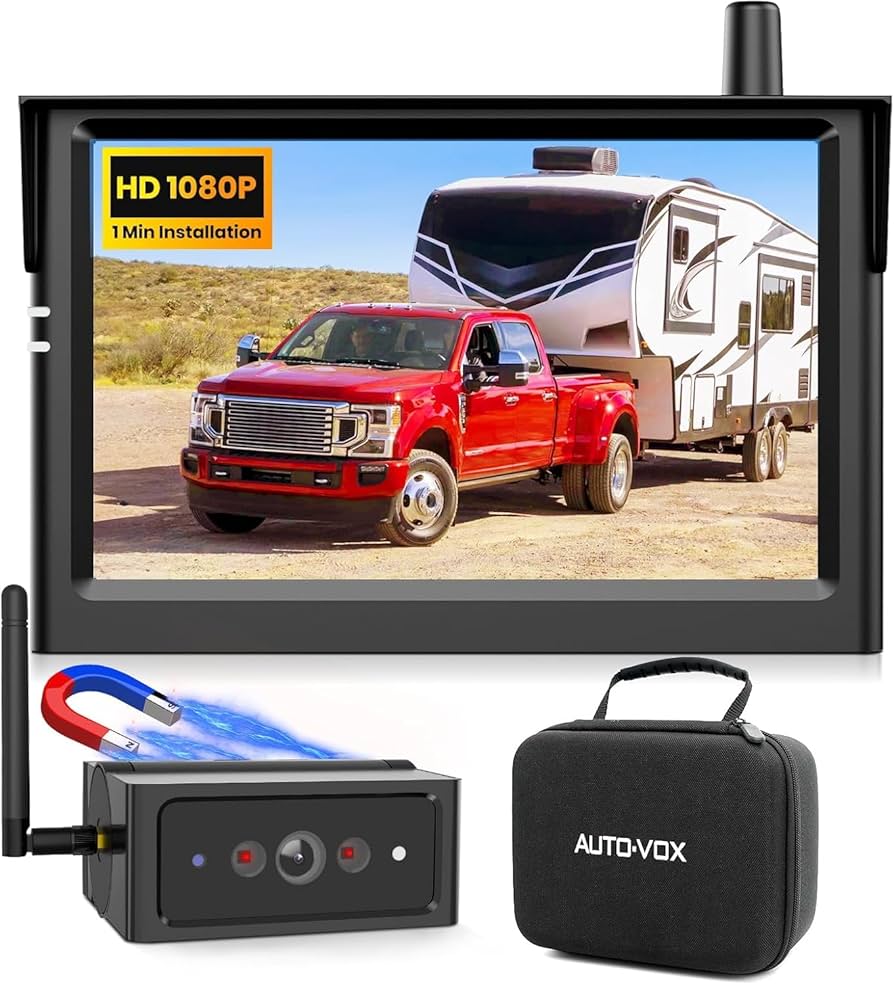
Wireless backup cameras send video signals without cables. They use radio waves or Wi-Fi to connect to the display screen. This makes installation easier and faster.
- No need to run wires through the car
- Quick and simple setup
- Signal may experience interference or delay
- Battery-powered models need regular charging or replacing
Wireless cameras are a good choice if you want a less complicated setup. Still, they may not be as reliable as wired cameras in all situations.
Integrated Vs. Aftermarket
| Type | Description | Pros | Cons |
| Integrated | Built-in camera by the car manufacturer | Perfect fit, works with car systems | More expensive, only for certain car models |
| Aftermarket | Camera added after buying the car | Fits many cars, cost-effective | Requires installation, may not match car design |
Integrated backup cameras come with some cars. They fit well and connect to the car’s system easily. Aftermarket cameras can be added to any car. They are flexible but need proper installation.
Compatibility With Different Cars
Installing a backup camera can improve safety and ease while parking. Many people wonder if these cameras fit all types of cars. The answer depends on the car’s make and model.
Backup cameras come in many styles. Some fit easily on any vehicle. Others need special parts or wiring. Let’s look at how they work with different cars.
Older Models
Older cars often lack built-in screens or wiring for cameras. Installing a backup camera may need extra work. You might need to add a monitor or use a camera with a wireless signal.
Wiring can be tricky because older cars do not have the right plugs. Some cameras use the car’s reverse light for power. This means you connect the camera to the light that turns on when you back up.
- No built-in screen means you need an external monitor.
- Wiring may require tapping into reverse light wires.
- Wireless cameras reduce wiring work.
Modern Vehicles
Newer cars often come with backup camera systems or screens. Adding a new camera may be easier because of built-in wiring. Some cars have ports for camera connections.
If your modern car lacks a camera, you can install one that connects to the factory screen. Some systems plug into the car’s multimedia system or use a video input jack.
- Many have built-in camera ports.
- Use factory screen for display.
- Installation may require specific connectors.
Trucks And Suvs
Trucks and SUVs vary widely in size and design. Backup cameras fit well on most models. Larger vehicles benefit from cameras because of bigger blind spots.
Mounting locations may differ. Some trucks have tailgates with space for cameras. SUVs often have room near the license plate or rear bumper. Wiring is similar to cars but may need longer cables.
- Most trucks have space for camera mounts.
- Longer cables may be needed for bigger vehicles.
- Check for factory wiring or add aftermarket systems.

Credit: www.youtube.com
Installation Requirements
Installing a backup camera on your car needs some preparation. You must know what tools and parts to use. This helps the installation go smoothly.
This guide explains the tools needed, power source options, and display screen choices. These points cover what you need for the backup camera setup.
Tools Needed
You need some basic tools to install a backup camera. These tools help mount the camera and connect wires safely.
- Electric drill with bits
- Wire strippers and cutters
- Screwdrivers (flathead and Phillips)
- Electrical tape and zip ties
- Multimeter for checking power
- Panel removal tools
Power Source Options
The backup camera needs power to work. You can connect it to different power sources in your car. Choose one that fits your car model and wiring skills.
| Power Source | Description |
| Reverse Light Wire | Connects to the light that turns on when reversing |
| Fuse Box | Uses a fuse tap to get power from the fuse box |
| Battery | Direct connection with a fuse for safety |
| Cigarette Lighter | Plugs into the 12V socket for easy power |
Display Screen Choices
You need a screen to see the camera’s view. There are a few types of displays for backup cameras. Pick the one that works best for your car and budget.
- In-Dash Monitor:Built into the car’s dashboard for a clean look.
- Rearview Mirror Monitor:Replaces or attaches to your mirror with a screen.
- Standalone Screen:A separate screen mounted on the dashboard or windshield.
- Smartphone App:Uses your phone as a display via Wi-Fi or cable connection.
Step-by-step Installation Guide
Installing a backup camera on your car can improve safety and parking ease. You can add one to most vehicles with basic tools and some patience.
This guide walks you through mounting the camera, wiring the system, and connecting it to the display. Follow each step carefully for best results.
Mounting The Camera
Choose a spot at the back of your car that has a clear view. The most common place is above the license plate or on the rear bumper.
- Clean the mounting area to remove dirt and grease.
- Use the camera bracket or adhesive pad to attach the camera.
- Make sure the camera points straight back and is level.
- Tighten screws or press firmly if using adhesive.
Wiring The System
Run the camera’s power and video cables through the trunk or hatch. You may need to remove panels or covers to hide the wires.
| Wire | Purpose | Connection Point |
| Red (Power) | Power supply | Reverse light positive wire |
| Black (Ground) | Ground connection | Car chassis or negative terminal |
| Video cable | Video signal | Display input or video interface |
Connecting To The Display
Most cars need a video input on the head unit or a separate monitor for the backup camera. Check your device’s manual for the right port.
Follow these steps to connect the camera to the display:
- Locate the video input port on your display device.
- Plug the camera’s video cable into the input port.
- Connect the power wires to the car’s reverse light circuit.
- Turn on the car and shift to reverse to test the camera image.
- Adjust camera angle if needed for a clear view.
Common Installation Challenges
Installing a backup camera on any car can seem easy at first. Yet, many face some common challenges during the process. These issues can affect the camera’s performance and safety.
Understanding these challenges helps prepare for a smoother installation. Below are some key problems to watch for.
Wiring Difficulties
Running wires through a car can be tricky. Some vehicles have complex wiring systems that are hard to access. You may need to remove panels or parts of the interior to hide the wires properly.
- Finding a power source for the camera can be confusing.
- Routing wires without damaging the car’s electrical system is important.
- Long wire runs may require extra connectors or extensions.
- Water or dirt can damage exposed wires if not sealed well.
Signal Interference
Signal interference may cause a blurry or flickering camera image. Interference happens when other electronic parts affect the camera’s signal. This is common in cars with many electronic devices.
| Cause | Effect | Solution |
| Radio waves from car stereo | Static or noise in image | Use shielded cables |
| Strong engine electromagnetic fields | Flickering or loss of signal | Route wires away from engine |
| Other wireless devices | Intermittent signal drop | Switch to wired connection |
Mounting Limitations
Finding a good mounting spot for the camera can be a challenge. Some cars have limited space or unusual shapes on the rear. The camera must have a clear view without blocking any lights or license plates.
Tips for mounting a backup camera:
- Use a bracket that fits your car’s shape
- Mount near the license plate or rear bumper
- Ensure the lens points straight back for best view
- Check local laws for camera placement rules
Cost Considerations
Installing a backup camera can improve safety for any car. It is important to consider the costs before making a decision.
Costs vary based on the camera type, installation method, and extra parts needed.
Camera Prices
Backup cameras come in many price ranges. Basic models cost less than advanced ones with extra features.
- Basic cameras: $20 to $50
- Mid-range cameras: $50 to $100
- High-end cameras with night vision or wide angles: $100 to $200
Professional Vs. Diy Installation
Choosing between professional and do-it-yourself installation affects the total cost and effort.
| Installation Type | Average Cost | Pros | Cons |
| Professional | $75 – $200 | Expert setup, warranty | Higher cost, time for appointment |
| DIY | Free to $50 (tools may be needed) | Lower cost, flexible timing | Requires skill, risk of errors |
Additional Accessories
Extra parts may be necessary for proper installation and function.
- Wiring kits for power and video connections
- Monitor or screen if the car lacks one
- Mounting brackets and screws
- Extension cables for larger vehicles
Maintenance Tips
Installing a backup camera on any car helps with safety. Keeping it in good shape is important for clear views. Simple care steps keep your camera working well.
Regular checks and cleaning improve the camera’s life and picture quality. Here are some easy tips to maintain your backup camera.
Cleaning The Camera Lens
Dirt, dust, and water spots can blur the camera lens. Clean the lens often to keep the image clear. Use a soft cloth and mild cleaner. Avoid harsh chemicals that can damage the lens.
- Wipe the lens gently with a microfiber cloth
- Use water or lens cleaner for tough spots
- Clean after rain or mud splashes
- Avoid touching the lens with fingers
Checking Connections
Loose or damaged wires can cause the camera to stop working. Check all connections regularly. Make sure plugs are tight and cables are not worn out. Fix any problems quickly to avoid camera failure.
| Connection | What to Check | Action |
| Power Cable | Firm plug, no cuts | Reconnect or replace |
| Video Cable | Secure fit, no damage | Secure or repair |
| Ground Wire | Good contact, no rust | Clean or tighten |
Software Updates
Backup cameras with smart features may need software updates. Updates fix bugs and improve performance. Check your car or camera manual for update instructions. Keep software current for best results.
Tips for software updates:
- Connect your car to Wi-Fi if possible
- Check the camera app or system menu
- Follow on-screen instructions carefully
- Do not turn off the car during update
- Restart the system after updating
Credit: www.amazon.com
Frequently Asked Questions
Can You Install A Backup Camera On Any Car Model?
Yes, you can install a backup camera on almost any car model. Most systems are universal and adapt easily. Some older cars may need extra wiring or adapters. Professional installation ensures compatibility and optimal performance.
How Much Does It Cost To Install A Backup Camera?
Installation costs vary from $50 to $300 depending on the camera type and vehicle. Wireless cameras are usually cheaper and easier to install. Professional installation adds to the cost but ensures proper setup and safety.
Are Wireless Backup Cameras Reliable For All Cars?
Wireless backup cameras are reliable for most cars and offer easy installation. However, signal interference can affect performance in some areas. Wired systems provide a more stable connection but require more complex installation.
Do Backup Cameras Improve Driving Safety Significantly?
Backup cameras greatly enhance driving safety by improving rear visibility. They help prevent accidents with pedestrians, objects, and other vehicles. Many countries now require backup cameras in new cars for this reason.
Conclusion
Installing a backup camera on most cars is possible. Some models need extra tools or parts. Older cars might need professional help. A backup camera improves safety and parking ease. Choose a camera that fits your car well. Simple steps can make the installation smooth.
This small upgrade helps avoid accidents and saves time. Consider your car’s make and model first. Then enjoy better rear visibility every time you drive.