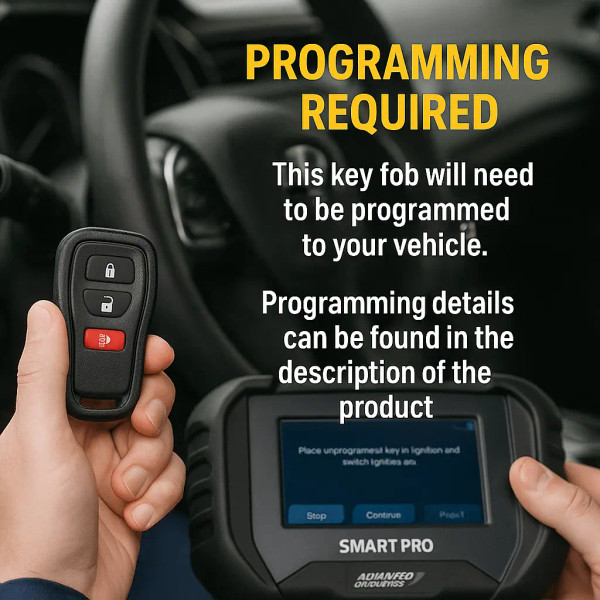
Losing or needing a new key fob for your GMC Sierra can be frustrating. But what if you could program it yourself quickly and save time and money?
You’re about to learn simple steps that anyone can follow to get your key fob working like new. Imagine unlocking your truck with just a click—no dealer visits, no extra costs. Keep reading, and you’ll discover exactly how to program your GMC Sierra key fob with ease.

Credit: tomskey.com
Key Fob Basics
Understanding the basics of a GMC Sierra key fob is essential before programming it. A key fob controls many important functions of your vehicle. It offers convenience and security. Knowing the types and functions helps you use it better and program it correctly.
Types Of Gmc Sierra Key Fobs
GMC Sierra key fobs come in different styles. Each style suits various model years and trim levels. Common types include:
- Standard Key Fob: Basic remote with lock and unlock buttons.
- Remote Start Key Fob: Adds the ability to start the engine remotely.
- Smart Key Fob: Allows keyless entry and push-button start.
- Keyless Entry Remote: Only controls door locks and alarm system.
Knowing your key fob type helps ensure proper programming steps.
Common Key Fob Functions
The key fob controls multiple vehicle features. Each button serves a specific purpose. Common functions include:
- Lock: Secures all doors with one press.
- Unlock: Opens the driver’s door or all doors.
- Remote Start: Starts the engine from a distance.
- Panic Alarm: Sounds the horn and flashes lights to attract attention.
- Trunk Release: Opens the truck bed or tailgate.
These functions improve safety and ease of use in daily driving.
Tools Needed
Programming a GMC Sierra key fob requires a few simple tools. Gathering these tools ahead of time helps the process go smoothly. The right equipment ensures proper programming and avoids damage. Below are the essentials you need before starting.
Required Equipment
- GMC Sierra key fob (new or existing)
- Working vehicle battery
- Ignition key
- Owner’s manual for reference
- Flat-head screwdriver (optional, for access)
- Battery tester (to check key fob battery)
Precautions Before Programming
Check the key fob battery life first. A weak battery can cause programming failure.
Make sure the vehicle is parked safely with the engine off.
Keep all doors closed during programming to avoid interruptions.
Have all existing key fobs present if you want to program multiple remotes.
Follow the exact steps for your specific GMC Sierra model to prevent errors.
Preparing Your Vehicle
Preparing your GMC Sierra for key fob programming sets the stage for a smooth and successful process. Before diving into programming, it’s essential to make sure your vehicle is ready. This involves straightforward checks and a bit of setup that many overlook but can save you time and frustration.
Accessing The Driver’s Door
Start by gaining easy access to the driver’s door. The door must be fully closed but unlocked before you begin programming. If your key fob isn’t working yet, use the physical key hidden inside the fob to unlock the door manually.
Having the driver’s door open or closed incorrectly can interfere with the programming sequence. Try locking and unlocking the door manually a few times to ensure the system recognizes the command. This simple step can prevent common errors during programming.
Ensuring Battery Life
Check your vehicle’s battery health before programming your key fob. A weak battery can cause the process to fail or behave unpredictably. If your battery is older than three years or shows signs of weakness, consider charging it or replacing it first.
Similarly, don’t forget to check the key fob battery itself. A low battery inside the fob may prevent it from syncing properly with your vehicle. Swapping the battery is inexpensive and quick, and it makes a big difference during programming.

Credit: www.keylessentryremotefob.com
Programming Steps
Programming your GMC Sierra key fob might seem tricky at first, but breaking down the process into clear, manageable steps makes it much easier. Each phase is crucial to ensure your key fob communicates properly with your vehicle. Let’s dive into the essential programming steps that will get your key fob working smoothly.
Entering Programming Mode
To start, you need to put your GMC Sierra into programming mode. This step lets the vehicle recognize that you want to add or reprogram a key fob.
Begin by closing all doors and inserting your key into the ignition without turning it on. Then, press and hold the unlock button on your key fob while turning the ignition to the “On” position (but don’t start the engine). Keep holding the unlock button for about 15 seconds until the door locks cycle, signaling the car is in programming mode.
Have you noticed how quickly your vehicle responds? That feedback confirms the system is ready to accept new key fobs.
Synchronizing The Key Fob
Once in programming mode, it’s time to sync your key fob with the vehicle’s system. This step ensures the remote and car communicate properly.
Press any button on your key fob within 20 seconds of entering programming mode. The door locks will cycle again, indicating the key fob is now paired. If you have multiple key fobs, repeat this button press for each one before exiting programming mode.
Timing here is crucial—waiting too long can cause the system to exit programming mode automatically.
Testing The Key Fob
After synchronizing, testing the key fob confirms everything works as expected. This step saves you from surprises later.
Step out of the car and use your newly programmed key fob to lock and unlock the doors. Also, check other functions like the panic alarm or remote start if your model supports them.
Does your key fob respond immediately? If not, try reprogramming or check the battery. Testing right away helps avoid frustration when you rely on your remote.
Troubleshooting Tips
Troubleshooting key fob programming can save time and frustration. Problems often arise from simple issues. Understanding these can help you fix your GMC Sierra key fob quickly. Below are common problems and advice on when professional help is needed.
Common Issues And Fixes
- Dead Battery:Replace the key fob battery if buttons don’t respond.
- Programming Failure:Ensure you follow the exact programming steps without skipping.
- Signal Interference:Move away from other electronic devices during programming.
- Faulty Key Fob:Test with a spare key fob to rule out hardware problems.
- Ignition Position:Check that the key is in the correct ignition position during programming.
When To Seek Professional Help
Professional help is necessary if the key fob still doesn’t work after troubleshooting. Complex issues might involve the vehicle’s security system. A technician has tools to diagnose and fix these problems.
Visit a GMC dealership or a trusted locksmith for advanced programming. They can also replace damaged key fobs and reprogram them correctly. Avoid forcing the key fob or ignition switch to prevent damage.
Maintaining Your Key Fob
Maintaining your GMC Sierra key fob is essential for its long life and reliable performance. A well-kept key fob ensures smooth locking, unlocking, and remote start functions. Simple care routines can prevent many common issues. Regular attention keeps your key fob ready whenever you need it.
Battery Replacement
The key fob battery usually lasts about one to two years. Signs of a weak battery include delayed response or no response at all. Replace the battery as soon as you notice these signs. Use the correct battery type for your GMC Sierra key fob. Open the key fob carefully using a small screwdriver or a coin. Remove the old battery and insert the new one with the right polarity. Close the key fob securely to avoid damage.
Protecting Against Damage
Keep your key fob away from water and extreme temperatures. Avoid dropping it on hard surfaces, which can harm internal parts. Use a protective cover or case to shield it from scratches and impacts. Store the key fob in a safe place when not in use. Clean the key fob with a soft, dry cloth to remove dirt and oils. Do not use harsh chemicals or abrasive materials on your key fob.

Credit: www.keylessentryremotefob.com
Frequently Asked Questions
How Do I Program A Gmc Sierra Key Fob Myself?
To program a GMC Sierra key fob, start by entering your vehicle and closing all doors. Insert the key into the ignition and turn it to the “On” position without starting the engine. Press and hold the “Lock” and “Unlock” buttons on the key fob for about 15 seconds until the locks cycle, confirming programming success.
Can I Program A Gmc Sierra Key Fob Without A Dealer?
Yes, you can program a GMC Sierra key fob without a dealer if you have all existing keys. Follow the vehicle’s manual instructions for self-programming. However, if you lost all keys, dealer or locksmith help is required, as specialized equipment is needed to program new key fobs.
How Long Does Gmc Sierra Key Fob Programming Take?
Programming a GMC Sierra key fob typically takes 5 to 10 minutes. The process is quick if you follow the steps correctly. Ensure the battery in the key fob is fresh to avoid delays or errors during programming.
Why Won’t My Gmc Sierra Key Fob Program?
Your GMC Sierra key fob may not program due to low battery, incorrect procedure, or faulty fob. Make sure the battery is fresh and follow programming steps precisely. If problems persist, the fob might be defective or incompatible, requiring professional assistance or replacement.
Conclusion
Programming a GMC Sierra key fob is simple and quick. Follow the steps carefully to avoid mistakes. This saves time and money on trips to the dealer. Keep your key fob battery fresh for better performance. Practice the process a few times if needed.
Now, you can control your vehicle’s locks and alarms easily. Stay safe and enjoy the convenience your key fob offers. No need to wait or call for help every time. You have the power to do it yourself.