If you own a BMW, you know how convenient a garage opener can make your daily routine. But what if your BMW’s built-in garage opener isn’t working yet?
Learning how to program your BMW garage opener yourself can save you time, money, and frustration. In this guide, you’ll find simple, step-by-step instructions that anyone can follow. By the end, you’ll have your garage door working smoothly with your BMW—no extra tools or expensive visits needed.
Ready to take control and make your life easier? Keep reading to get started!

Credit: www.youtube.com
Prepare Your Tools
Preparing your tools is the first key step in programming a BMW garage opener. Having the right items ready saves time and avoids frustration. A smooth setup depends on good preparation.
Start by collecting everything you need before you begin the programming process. Knowing your garage opener model ensures compatibility with your BMW system. This step prevents errors and helps the programming go smoothly.
Gather Necessary Items
- BMW vehicle with integrated garage opener system
- Existing garage door remote control
- Owner’s manual for your BMW and garage opener
- Step ladder (if your garage opener is out of reach)
- Pen and paper to note down codes or instructions
Check Garage Opener Compatibility
Not all garage openers work with BMW systems. Confirm your garage door opener uses a compatible frequency. Most BMWs support common brands and frequencies, but some older or very new models might not.
Look for the model number on your garage opener motor. Check the manual or manufacturer website to verify compatibility. This step avoids wasted effort and ensures your BMW will sync properly with the garage door.
Locate The Garage Opener Button
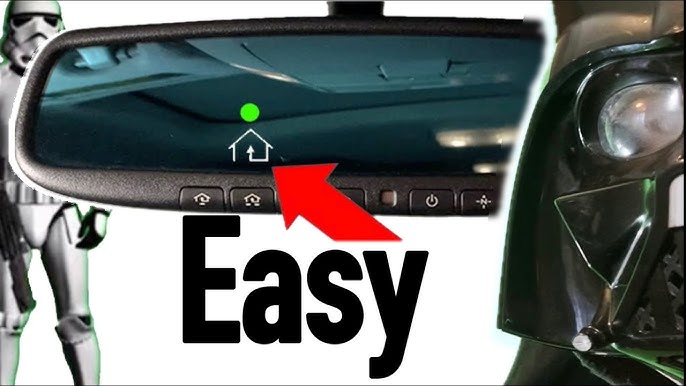
Find the garage opener button inside your BMW, usually on the ceiling near the rearview mirror. This button controls your garage door and is key to programming the opener.
Locating the garage opener button in your BMW can feel daunting. The process begins with identifying the right components. Knowing what to look for simplifies the task. Here’s how you can find and identify the essential features of your garage opener button.Find The Programming Button
The programming button is crucial. It is typically located on the rearview mirror. Check the bottom or side of the mirror for a small button. Press this button to enter programming mode. This button connects your BMW to the garage opener. It often has a distinct icon or label.Identify Indicator Lights
Indicator lights are your guide. They are usually near the programming button. These lights change colors or blink during programming. Pay attention to these signals. They confirm if the programming is successful. A steady light often means the process is complete. A blinking light might mean retrying the steps.Program Through Your Bmw
Programming your BMW’s garage opener directly through the vehicle is a convenient way to streamline your daily routine. This feature allows you to sync your car with your garage door system without needing extra devices or complicated setups. It’s a quick process that makes accessing your garage as easy as pressing a button inside your BMW.
Access Vehicle Settings
Start by turning on your BMW’s ignition without starting the engine. Use the iDrive controller or touchscreen to navigate to the main menu. Look for the “Vehicle” or “Settings” option—this is where you’ll find the garage door opener settings.
Once inside the settings, find the “Garage Door Opener” or “HomeLink” menu. This section holds all the controls you need to program your garage opener. Are you surprised at how many vehicle functions you can customize from this single menu?
Enter Programming Mode
After accessing the garage door opener settings, select the option to program a new device. Your BMW will prompt you to hold the physical garage remote near the rearview mirror or designated sensor area inside the car. Press and hold the button on the remote while following the on-screen instructions in your vehicle.
The system will detect the signal from your remote and enter programming mode. This step ensures that your BMW learns the exact frequency and code for your garage door. It’s a smart way to confirm that the connection is secure and specific to your garage system.
Sync With Garage Opener
Once programming mode is active, press the button on your BMW’s garage opener control that you want to assign. The vehicle will communicate with your garage door motor to establish a link. You might hear a click or see the garage door move slightly, confirming the sync is successful.
If the garage door doesn’t respond immediately, don’t worry—try pressing the button again or repeat the programming sequence. Sometimes, multiple attempts are needed due to signal interference or system quirks. After syncing, test the button a few times to make sure the connection remains strong.

Credit: www.youtube.com
Test The Garage Opener
Testing your BMW garage opener is a crucial step to ensure everything is working perfectly. It confirms that the programming process was successful and that your opener responds reliably. Let’s dig into how you can effectively test your device and solve any hiccups that might come up.
Verify Signal Reception
Stand close to your garage door and press the button on your BMW garage opener. Does the door respond immediately? If it opens or closes without delay, your signal reception is good.
Try moving a few steps away and test again. This helps identify the range of your remote’s signal. If the door struggles to respond from a short distance, the battery might be weak or the remote could be misaligned.
Think about the last time you had trouble with your garage door. Was it because the remote was too far, or was something blocking the signal? Checking for obstacles like walls or metal objects between you and the door can make a big difference.
Troubleshoot Common Issues
If your garage opener doesn’t work as expected, don’t panic. Start by replacing the battery in your BMW remote. A fresh battery often solves many signal problems.
Make sure your vehicle is parked within the recommended range. Sometimes, the car’s position affects the remote’s effectiveness. Also, confirm that your garage door’s motor unit is powered and not showing any error lights.
- Check if the remote is correctly programmed to your garage system.
- Reset the garage door opener by unplugging it for 30 seconds and plugging it back in.
- Look for interference from other wireless devices nearby.
Have you noticed any patterns when your garage opener fails? Pinpointing these can help you avoid future frustrations and keep your opener working smoothly.
Additional Tips
Programming your BMW garage opener can sometimes feel tricky, but a few extra tips can make the process smoother and safer. Paying attention to details like reprogramming steps, battery health, and security can save you time and headaches. Let’s look at some practical advice that can help you get it right the first time.
Reprogramming Steps
Before you start reprogramming, ensure your car is parked inside the garage with the door closed. This creates a controlled environment and prevents accidental openings. Keep your garage opener remote and your BMW’s manual handy.
Press and hold the button on your BMW’s garage opener until the indicator light starts blinking. Then, press the button on your garage door remote within a few seconds. If the light changes to a steady glow, the programming was successful.
If you don’t see any response, try repeating the process. Sometimes, the timing must be exact, so patience is key. Have you ever noticed how a small delay or rush can mess up a simple task?
Battery Replacement Advice
Weak batteries in your garage remote or BMW opener can cause failed programming attempts. Always check the battery status before starting. If your remote feels less responsive or the light is dim, it’s time to swap the battery.
Use high-quality batteries to ensure long-lasting power. Keep spare batteries at home to avoid delays. Remember, a fresh battery can solve problems that seem much more complicated.
Security Precautions
Your garage opener links directly to your vehicle and home security, so treat it with care. Avoid programming your opener in public places or where strangers can see the process. This reduces the risk of someone copying your signal.
Disable the opener when not in use for extended periods, especially if you park your BMW in public or shared spaces. Regularly check the security codes and update your system if your model supports it. How often do you review your device’s security settings?

Credit: www.youtube.com
Frequently Asked Questions
How Do I Program A Bmw Garage Opener Remote?
To program a BMW garage opener, turn ignition on and press the garage opener button. Hold the button until the indicator light flashes. Then, press the garage door remote’s button. Repeat until the indicator light blinks rapidly, confirming programming.
Can I Program Multiple Garage Openers In My Bmw?
Yes, your BMW can be programmed to control multiple garage openers. Use the same programming steps for each opener. Assign each button to a different garage door for easy access and control from your vehicle.
What If My Bmw Garage Opener Won’t Program?
If programming fails, check the vehicle’s battery and remote batteries. Ensure your garage door opener is compatible with BMW’s system. Refer to your BMW owner’s manual for specific troubleshooting steps or visit a dealer for assistance.
How Long Does Bmw Garage Opener Programming Take?
Programming your BMW garage opener typically takes 5 to 10 minutes. Follow the step-by-step instructions carefully for quick setup. Delays may occur if the remote or vehicle battery is weak.
Conclusion
Programming your BMW garage opener is quick and simple. Follow each step carefully for best results. Double-check the remote and car settings before starting. Test the opener after programming to ensure it works well. Keep your manual handy for future reference.
This small task can save time every day. Enjoy easy access to your garage without hassle. Stay patient and take your time during programming. You will feel confident using your BMW’s garage opener soon.