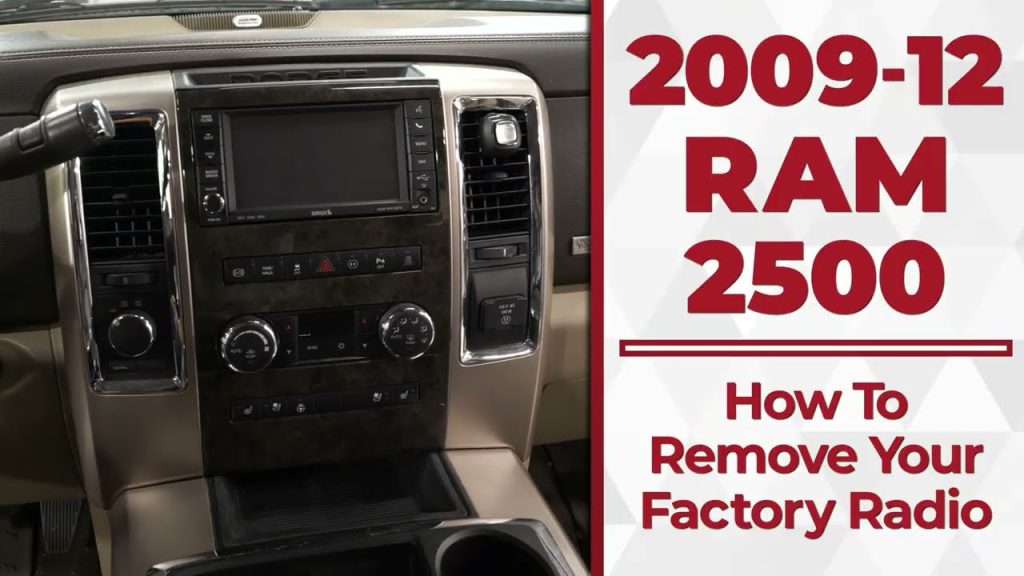
Is your Dodge Ram radio acting up or refusing to turn on? Resetting it might be the quick fix you need to get back to enjoying your favorite tunes and important broadcasts.
You don’t have to be a tech expert or spend hours searching for solutions. This guide will walk you through simple, step-by-step instructions to reset your Dodge Ram radio effortlessly. Keep reading, and you’ll have your radio working like new in no time.
Credit: www.gm-navigation.com
Reasons To Reset Dodge Ram Radio
Resetting the Dodge Ram radio can solve many common problems. It clears errors and restores the system to its original settings. This process helps improve the radio’s performance and can prevent further issues. Understanding the reasons to reset the radio is important before starting the process.
Common Radio Issues
- Radio not turning on or responding
- Frozen or unresponsive touchscreen
- Audio cutting out or poor sound quality
- Loss of saved presets or Bluetooth connections
- Software glitches causing erratic behavior
When To Reset
- After a power surge or battery replacement
- If the radio freezes or crashes frequently
- When Bluetooth or connectivity fails to work
- After failed software updates or system errors
- When settings do not save properly
Preparation Before Resetting
Preparing your Dodge Ram radio for a reset ensures the process goes smoothly. Proper preparation avoids mistakes and protects your vehicle’s system. Take time to gather tools and check your vehicle’s battery condition. This helps prevent interruptions during the reset.
Gathering Necessary Tools
Before starting, collect all tools needed for the reset. Common tools include:
- Owner’s manual for radio codes
- Small screwdriver or trim removal tool
- Flashlight for better visibility
- Pen and paper to note codes or settings
Having these ready helps you work faster and reduces frustration. The owner’s manual is especially important for finding radio reset codes.
Checking Vehicle Battery
Ensure the vehicle battery is fully charged. A weak battery can cause the radio reset to fail. Use a voltmeter to check battery voltage. It should read around 12.6 volts for a healthy battery.
If the battery is low, charge it before starting the reset. This avoids losing radio settings or damaging the system. A stable power supply keeps the radio functioning properly during the reset process.
Resetting Basic Radio Models
Resetting basic radio models in your Dodge Ram can quickly solve common issues like frozen screens or unresponsive buttons. These radios often have straightforward reset options that you can try without needing professional help.
Knowing how to reset your radio might save you time and frustration. Have you ever been stuck on a station or had your radio stop working during a trip? A simple reset can often bring everything back to normal.
Using The Reset Button
Many basic Dodge Ram radios include a small reset button, usually hidden to prevent accidental presses. You might find it near the volume knob or behind a small panel.
To use the reset button:
- Locate the tiny reset hole on your radio.
- Use a paperclip or similar small tool to press and hold the button for a few seconds.
- Release the button and wait for the radio to restart.
This method is quick and doesn’t require any tools beyond something to press the button. It’s often the first thing I try when my radio acts up, and it usually solves minor glitches instantly.
Removing The Fuse
If the reset button doesn’t work or your radio doesn’t have one, removing the fuse is another effective way to reset it. This cuts power to the radio completely, forcing a full reboot.
Here’s how you can do it safely:
- Locate the fuse box, usually under the dashboard or in the engine compartment.
- Use the diagram on the fuse box cover to find the radio fuse.
- Remove the fuse carefully with a fuse puller or needle-nose pliers.
- Wait about 10-15 seconds before reinserting the fuse.
Removing the fuse might sound extreme, but it’s a practical trick that often fixes deeper issues. Have you checked your fuse box lately? Sometimes, a blown fuse might be the real culprit behind radio problems.
Credit: www.ramforumz.com
Resetting Touchscreen Radios
Resetting the touchscreen radio in your Dodge Ram can solve many common issues like frozen screens, unresponsive buttons, or audio glitches. Unlike traditional radios, touchscreen systems often require specific reset techniques to avoid losing saved settings or paired devices. Understanding how to reset your radio properly can save you time and prevent unnecessary trips to the dealership.
Soft Reset Method
A soft reset is the quickest way to refresh your Dodge Ram touchscreen radio without erasing any personal data. It’s similar to rebooting your smartphone and can clear minor bugs or glitches.
- Press and hold the power button on your radio for about 10 seconds.
- The screen will go dark and then restart automatically.
- Wait a few moments for the system to fully reboot and check if the issue is resolved.
This method often fixes freezing or slow response times. Have you tried this simple step before assuming something more serious is wrong?
Factory Reset Steps
A factory reset returns your touchscreen radio to its original settings, wiping all personal data like saved radio stations, Bluetooth devices, and customized preferences. Use this only if the soft reset doesn’t solve the problem or if you want to clear everything for a fresh start.
- Tap the “Settings” icon on your radio screen.
- Navigate to “System” or “Factory Reset” option (this may vary slightly by model).
- Confirm that you want to reset the system when prompted.
- Your radio will shut down and restart with default factory settings.
Be sure to back up any important information before doing a factory reset. Have you noticed your system slowing down after months of use? Sometimes starting over is the best fix.
Retrieving Radio Code After Reset
After resetting your Dodge Ram radio, retrieving the radio code is essential to reactivate your audio system. Without this code, the radio will remain locked, leaving you without music or other audio features. Knowing where to find this code can save you time and frustration, especially if you didn’t write it down earlier.
Finding Code In Owner’s Manual
Your first stop should be the owner’s manual that came with your Dodge Ram. Many manuals include a card or a page specifically for the radio code. Sometimes, this code is printed on a sticker inside the manual’s back cover or within the glove box documentation.
If you can’t find the code in the manual, check any paperwork that came with the vehicle. Some previous owners or dealerships leave this information in the service records or sales documents. Have you ever overlooked these details only to spend hours searching later? Keeping these documents organized prevents such headaches.
Using Dodge Customer Support
If the owner’s manual doesn’t have the radio code, Dodge customer support can help. You’ll need to provide your vehicle’s VIN (Vehicle Identification Number) and proof of ownership. This step ensures that only rightful owners get access to the code, protecting your vehicle’s security.
Contacting customer support is straightforward. You can call their dedicated line or visit a local Dodge dealership. Keep in mind that response times vary, so having all necessary information ready speeds up the process. Have you prepared your VIN and registration before reaching out? Doing so can make the difference between a quick fix and a long wait.
Credit: www.ram1500diesel.com
Preventing Future Radio Issues
Preventing future radio issues keeps your Dodge Ram’s audio system working smoothly. Simple care steps avoid common problems and save time. Staying proactive reduces the chance of needing resets or repairs.
Regular Software Updates
Keep your radio software up to date. Updates fix bugs and improve performance. Check for updates through the Dodge website or your dealership. Installing updates regularly helps avoid glitches and freezes. Updated software supports new features and better compatibility with devices.
Safe Power Practices
Power surges can damage your radio. Avoid disconnecting the battery while the radio is on. Turn off the radio before starting or stopping the engine. Use a stable power source when charging devices connected to the radio. These steps protect the radio’s electronics and prevent unexpected resets.
Frequently Asked Questions
How Do I Reset My Dodge Ram Radio?
To reset your Dodge Ram radio, first turn off the ignition. Then, disconnect the negative battery cable for 15 minutes. Reconnect the cable and turn on the ignition. This process should reset your radio system, clearing any minor glitches and restoring default settings.
Why Is My Dodge Ram Radio Not Working?
Your Dodge Ram radio may not work due to a blown fuse, software glitch, or loose connections. Check the fuse box and replace any blown fuses. If the issue persists, consider resetting the radio as a troubleshooting step to resolve potential software issues.
Can A Factory Reset Fix Radio Issues?
Yes, a factory reset can resolve many radio issues by restoring default settings. This process eliminates software glitches and incorrect settings. Ensure you have backup information, as a reset will erase saved settings and presets. Follow the reset procedure in your owner’s manual for detailed instructions.
How Do I Enter The Radio Code?
To enter the radio code, turn on your radio. Use the preset buttons to input the code provided by your dealer. Once entered, press the “Enter” or “OK” button to confirm. If entered correctly, your radio should start functioning normally again.
Conclusion
Resetting your Dodge Ram radio is simple and quick. Follow the steps carefully to avoid issues. This process helps fix common radio problems. Keep your truck’s manual nearby for reference. Regular resets can improve your radio’s performance. Don’t worry if it takes a few tries.
Soon, your radio will work like new again. Stay calm and patient during the reset. Enjoy your music and radio features without trouble. This small fix saves time and money. Now, get back on the road with clear sound.