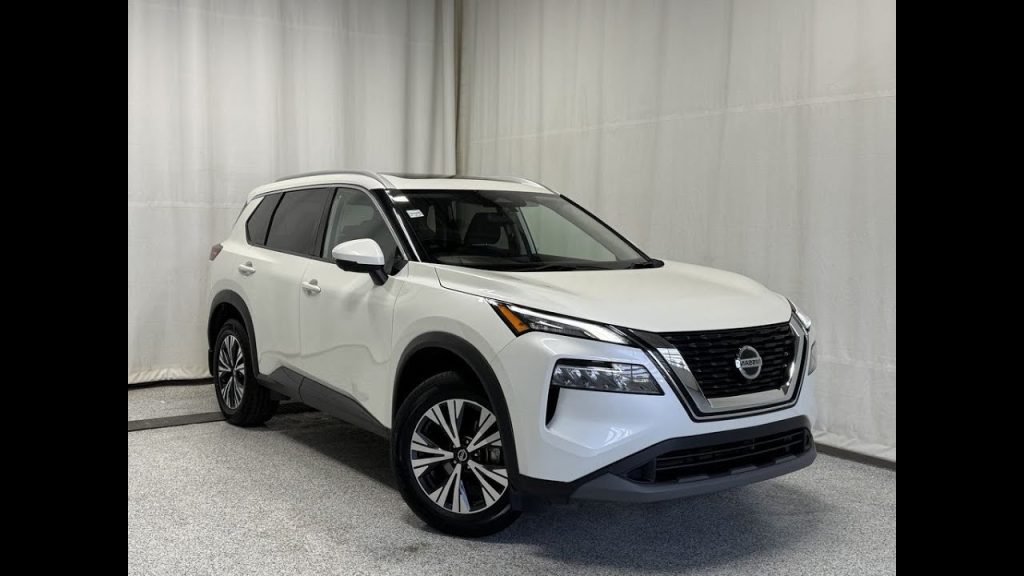
Have you ever found yourself frustrated because your Nissan Rogue’s audio system suddenly went silent? You’re not alone.
When your music or navigation voice disappears, it can throw off your entire drive. The good news is, unmuting your Nissan Rogue’s audio system is usually quick and simple—once you know where to look. In this guide, you’ll discover easy steps to get your sound back on, so you can enjoy every drive without missing a beat.
Keep reading, and you’ll have your audio blasting again in no time.
Locate The Mute Button
Finding the mute button in your Nissan Rogue is the first step to getting your audio system back to its full volume. It’s often easy to overlook, especially if you’re new to the vehicle or just returned after a long drive. Knowing exactly where this button is can save you from fumbling around while trying to unmute your music or calls.
Check The Steering Wheel Controls
Most Nissan Rogue models place the mute button right on the steering wheel. This allows you to quickly mute or unmute audio without taking your hands off the wheel. Look for a button with a speaker icon or a simple “MUTE” label.
If you frequently use voice commands or hands-free calling, this button will be your best friend. It’s designed for quick access, making it easy to toggle sound on and off while driving safely.
Inspect The Center Console Audio Panel
If you don’t find the mute button on the steering wheel, turn your attention to the center console. The audio system’s control panel usually has a dedicated mute button near the volume knob or on the touchscreen interface.
In some models, the mute function might be combined with the volume control, requiring a press on the knob rather than a separate button. This design keeps the dashboard clean but can be confusing at first.
Look For Touchscreen Options
Newer Nissan Rogue models often use a touchscreen interface for audio controls. Check the screen for a mute icon—usually a speaker with a slash through it. You can tap this icon to mute or unmute sound instantly.
Sometimes, the mute function is hidden in a menu or settings option. Don’t hesitate to explore the audio or sound settings on the screen if you don’t see a visible mute button.
Consult Your Owner’s Manual
If locating the mute button still feels tricky, your Nissan Rogue’s owner’s manual is a reliable resource. It provides detailed diagrams and explanations tailored to your specific model and year.
Having the manual on hand can prevent frustration and help you discover other useful audio system features. It’s a quick read that pays off every time you need to adjust your car’s settings efficiently.
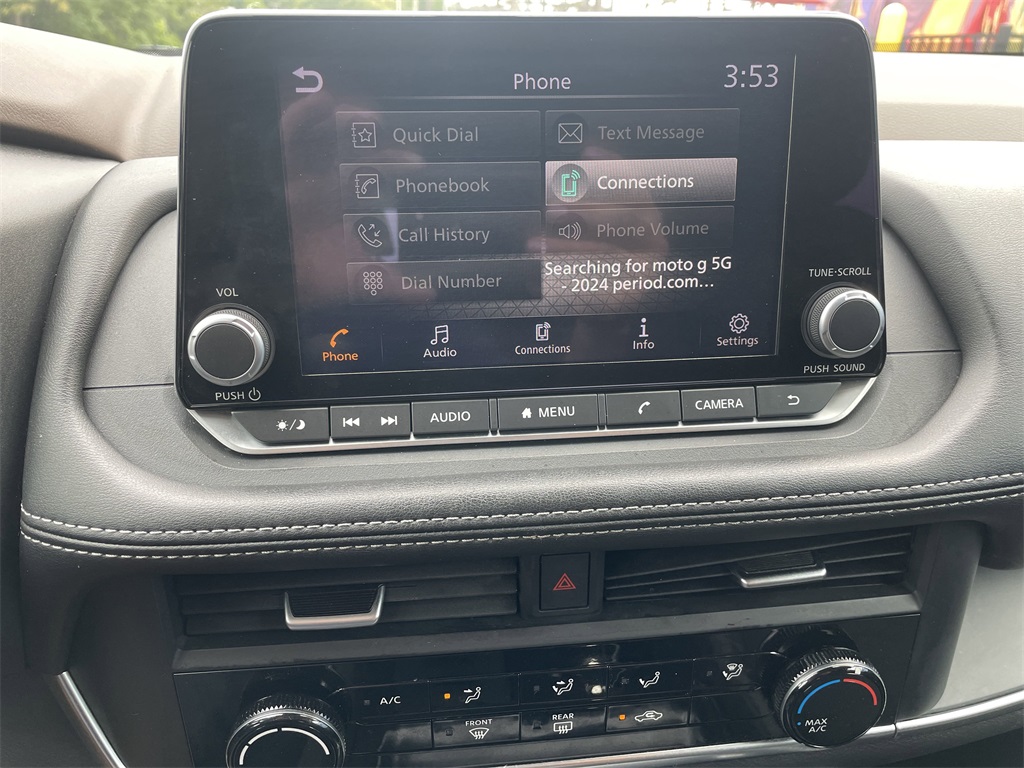
Credit: www.harrtoyota.com
Use The Steering Wheel Controls
The steering wheel controls in the Nissan Rogue offer a quick and safe way to manage your audio system. These buttons let you adjust volume and mute settings without taking your hands off the wheel. This feature helps you keep your focus on driving while handling sound adjustments easily.
Using the steering wheel controls to unmute audio is simple and efficient. You can restore sound instantly by pressing the right button. This control is usually located on the left or right side of the steering wheel, depending on the model year of your Rogue.
Locate The Audio Control Buttons On The Steering Wheel
Check the left side of the steering wheel for audio controls. Look for buttons with volume symbols or a speaker icon. The mute button often has a crossed-out speaker symbol. Familiarizing yourself with these buttons helps you react quickly.
Press The Mute Button To Unmute The Audio
Press the mute button once to unmute the sound. The audio will return to the previous volume level. If the sound does not return, try pressing the volume up button instead.
Use Volume Buttons To Adjust Sound Levels
After unmuting, use the volume up or down buttons to set your preferred sound level. Press the volume up button to increase the sound gradually. Press the volume down button to lower it if it is too loud.
Check For Additional Audio Controls On The Steering Wheel
Some Nissan Rogue models may have extra audio controls. These might include buttons for track skipping or source selection. Knowing these controls enhances your overall audio experience while driving.
Adjust Volume Settings
Adjusting the volume settings in your Nissan Rogue is a simple way to unmute the audio system. It helps you control sound levels quickly and easily. By changing these settings, you can bring back the sound without any hassle.
The volume control is often located on the steering wheel or the main dashboard. Using these controls lets you raise or lower the volume to your desired level. Sometimes the audio system might be muted, and adjusting the volume can fix this immediately.
Using The Steering Wheel Controls
Most Nissan Rogue models have volume buttons on the steering wheel. Look for the plus (+) and minus (–) symbols. Press the plus button to increase the volume and unmute the audio. This method is quick and safe while driving.
Adjusting Volume From The Dashboard
The center console usually has a volume knob or buttons. Turn the knob clockwise to raise the volume. Press the volume-up button several times until you hear sound again. This is helpful if the steering wheel controls do not work.
Checking The Mute Button
Some models have a mute button near the volume controls. Press this button to toggle mute on or off. Make sure the mute light or icon is not active. Pressing this button once can restore the audio sound instantly.

Credit: www.youtube.com
Check Audio Source Settings
Checking the audio source settings is a simple way to fix muted sound in your Nissan Rogue. The car’s audio system might be set to a source with no sound output. This can happen if the system is on a wrong input or an inactive device.
Start by looking at the display screen on your dashboard. It shows the current audio source. Common sources include FM radio, AM radio, Bluetooth, USB, and AUX. Each source has its own volume and mute controls.
Understanding how to check and change these settings can bring your sound back quickly. Follow the tips below to make sure the audio source is active and not muted.
Identify Current Audio Source
Look at the infotainment screen to see the selected audio source. It usually shows the name or icon of the source. If it says “Bluetooth” or “USB,” check that a device is connected and playing audio.
Switch Between Audio Sources
Use the media button or touchscreen controls to cycle through available sources. Switching to FM or AM radio can help test if the sound works from those inputs. This helps isolate the problem to one source or the entire system.
Check Volume And Mute Settings For Each Source
- Ensure the volume is turned up on the selected source.
- Look for a mute icon or setting and turn it off.
- Some sources have separate volume controls, adjust those.
Verify Bluetooth Or Device Connection
For Bluetooth, confirm the phone or device is paired and playing music. Disconnect and reconnect if needed. For USB or AUX, check the cable connection and the device’s playback status.
Reset The Audio System
Resetting the audio system in your Nissan Rogue can be a straightforward fix when your sound is muted and won’t unmute the usual way. Sometimes, the system just needs a quick refresh to clear glitches or software hiccups. This process restores your audio settings to their defaults, which often resolves mute issues without needing professional help.
How To Perform A Soft Reset On Your Nissan Rogue Audio System
A soft reset is quick and doesn’t erase your saved presets or settings. Start by turning off the engine and opening the driver’s door to ensure the system powers down completely.
- Press and hold the power button on the audio system for about 10 seconds.
- Wait for the system to turn off and then restart automatically.
- Check if the audio is now unmuted.
This simple reset often clears temporary bugs. Have you noticed how sometimes just turning something off and on fixes issues you thought were complex?
Resetting The Audio System Through The Settings Menu
If the soft reset doesn’t work, try resetting through the settings menu. This method returns all audio configurations to factory defaults, which can help if a setting is stuck on mute.
- Turn on your vehicle and access the infotainment touchscreen.
- Navigate to the “Settings” or “Audio” section.
- Look for an option like “Factory Reset” or “Reset Audio Settings.”
- Confirm the reset when prompted.
After the reset, your sound system will restart. You’ll need to adjust your preferences again, but this often fixes hidden software issues causing the mute.
When To Consider A Hard Reset For Your Nissan Rogue Audio System
A hard reset is more thorough and might be necessary if other resets fail. It typically involves disconnecting the car’s battery or removing a fuse, which cuts power completely and forces the system to reboot from scratch.
- Turn off the vehicle and open the hood.
- Locate the battery and use a wrench to disconnect the negative terminal.
- Wait about 10 minutes to allow the system to fully reset.
- Reconnect the battery and start your Nissan Rogue.
- Test the audio system for sound restoration.
Be cautious with this approach. Have you thought about how a full power cycle can sometimes clear deeper electronic issues that simple resets miss?
Troubleshoot Common Issues
Audio issues in your Nissan Rogue can be frustrating, especially when you just want to enjoy your favorite music or catch up on a podcast. Troubleshooting common problems yourself can save you a trip to the dealership and get your system working faster. Let’s look at some straightforward checks you can perform to unmute your audio system effectively.
Inspect Wiring And Connections
Start by examining the wiring behind your audio system and speakers. Loose or damaged wires can easily cause the sound to mute unexpectedly. Carefully check the connections for any signs of wear, corrosion, or disconnection.
Sometimes, a quick unplug-and-replug can restore the connection. If you spot frayed wires, consider replacing them or seeking professional help to avoid further damage. Have you ever found a hidden loose wire fixing your car’s audio? It’s surprisingly common!
Check For Software Updates
Your Nissan Rogue’s infotainment system runs on software that occasionally needs updates. Outdated software can cause glitches, including muting issues. Check your vehicle’s settings or Nissan’s official website for available updates.
Installing the latest update often resolves unexpected bugs. If you haven’t updated your system in a while, it might be the simple fix you need. When was the last time you checked for updates on your car’s system?
Consult The User Manual
The user manual is a treasure trove of information tailored specifically for your model. It includes troubleshooting tips and instructions for resetting or unmuting the audio system. Don’t overlook this resource—it can save you time and guesswork.
If you don’t have a physical copy, Nissan often provides digital versions online. Reviewing the manual can also help you understand the functions of various buttons and settings. Have you ever discovered a hidden feature just by flipping through your manual?

Credit: www.youtube.com
Frequently Asked Questions
How Do I Unmute My Nissan Rogue Audio?
To unmute your Nissan Rogue audio system, press the volume knob. Alternatively, use the steering wheel audio controls. If the screen shows “Mute,” tap it to unmute. Ensure your device isn’t muted if you’re using Bluetooth or auxiliary connections. Check your audio settings in the infotainment system for further issues.
Why Is My Nissan Rogue Audio Not Working?
Your Nissan Rogue audio might not work due to muted sound, disconnected cables, or blown fuses. Check the audio settings and ensure the volume is up. Verify that all cables are securely connected. If problems persist, consult the owner’s manual or contact a Nissan service center.
Can I Use Voice Commands To Unmute Audio?
Yes, you can use voice commands to unmute audio in a Nissan Rogue. Press the voice command button on the steering wheel. Say “Unmute audio” or similar commands, depending on your system. Ensure the voice recognition system is activated and properly set up for accurate functionality.
Does Resetting Help Unmute The Audio System?
Resetting the audio system can help if unmuting fails. Turn off the ignition and restart the vehicle. This action may reset the system and resolve minor glitches. If issues persist, consult your owner’s manual or contact a Nissan dealership for further assistance.
Conclusion
Unmuting the audio system in your Nissan Rogue is quick and simple. Just follow the steps carefully, and you will hear sound again. Check the volume button, steering controls, and settings menu. Sometimes, a small press or change can fix the issue.
Enjoy your music, calls, and navigation without any silence. Stay calm and take your time. This guide helps you get sound back fast and easy. Now, driving feels better with clear audio all around.