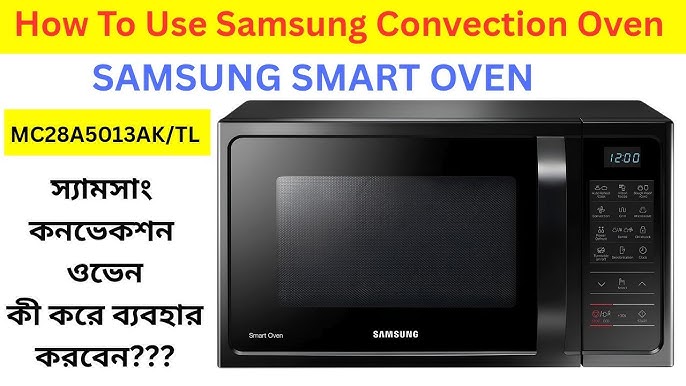
Imagine the convenience of having a hot meal ready in minutes, all thanks to your Samsung microwave oven. Whether you’re reheating leftovers or trying out a new recipe, knowing how to use your microwave effectively can transform your cooking experience.
You might be wondering if you’re getting the most out of this kitchen marvel, or perhaps you’re a bit intimidated by the array of buttons and settings. Don’t worry—you’re not alone. In this guide, you’ll discover simple steps to make the most of your Samsung microwave oven.
Unleash its full potential and add ease and efficiency to your daily routine. Curious to learn more? Let’s dive in and make your microwave work for you.

Credit: www.espares.co.uk
Getting Started
Getting started with your Samsung microwave oven is simpler than you might think. Before heating your first meal, a few key steps will ensure your appliance works safely and efficiently. Understanding the setup and controls will help you get the most from your microwave without any guesswork.
Unboxing And Setup
Take a moment to carefully unpack your microwave. Remove all packaging materials, including any protective films on the door and control panel.
Place the microwave on a flat, stable surface near an electrical outlet. Make sure there is enough space around the appliance for proper ventilation—at least 3 inches on each side and the back.
Plug it in and open the door to check that the turntable is correctly positioned. This simple step prevents uneven cooking.
Safety Precautions
Before using your microwave, consider some important safety tips. Never operate the microwave when it’s empty, as this can damage the appliance.
Use only microwave-safe containers—avoid metal or aluminum foil as they can cause sparks or fires. Also, keep the door seals clean to ensure a proper seal and prevent radiation leaks.
Have you ever wondered why some foods heat unevenly? Stirring halfway through the cooking process can prevent hot spots and burns.
Control Panel Basics
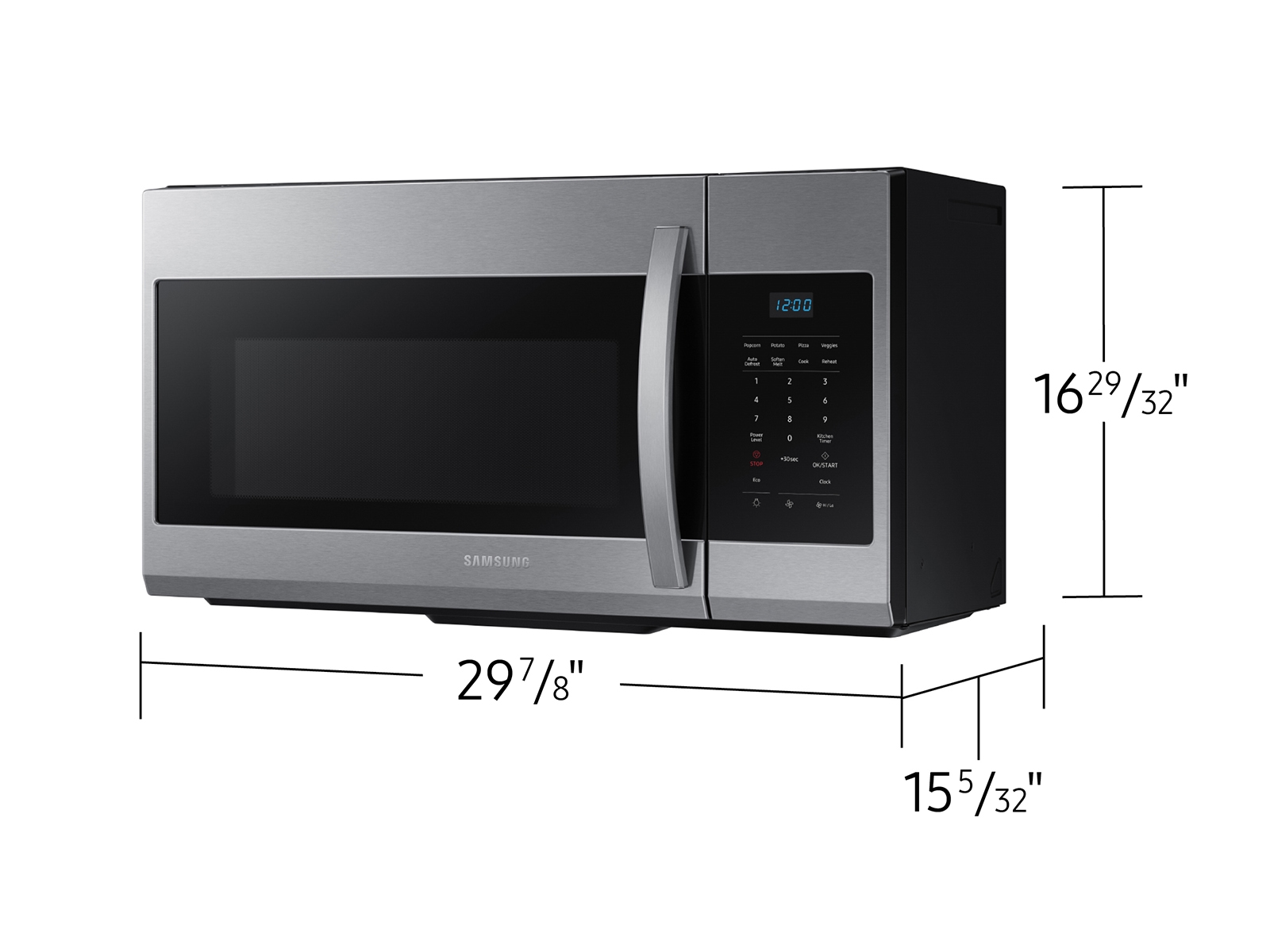
The control panel might look overwhelming at first, but it’s designed for ease of use. The main buttons include:
- Power Level:Adjust the microwave’s strength for different foods.
- Timer:Set cooking time in seconds or minutes.
- Preset Buttons:Quick access to common tasks like popcorn, defrost, or beverages.
- Start/Stop:Begin or cancel cooking.
Spend a few minutes pressing each button to get a feel for their functions. You’ll find that the microwave responds intuitively, making it easier than you expected to cook precisely what you want.
Credit: www.samsung.com
Basic Cooking Functions
The Samsung microwave oven offers several basic cooking functions that simplify meal preparation. These features allow users to control cooking time, power levels, and use preset modes tailored for common foods. Understanding these functions helps achieve better cooking results with ease.
Setting Time And Power Levels
Set the cooking time by pressing the number buttons or turning the dial. Adjust the power level to control heat intensity. Most Samsung microwaves have multiple power settings, from low to high. Use lower power for gentle cooking and higher power for faster results. This flexibility ensures food cooks evenly without burning.
Using Preset Cooking Modes
Samsung microwaves include preset modes for popular foods like popcorn, pizza, and beverages. Press the desired mode button to start cooking automatically. These modes adjust time and power based on the food type. They save time and reduce guesswork. Just select the mode and press start.
Defrosting Options
Defrost frozen food quickly and safely using the microwave’s defrost function. Choose defrost mode and enter the food weight. The microwave adjusts time and power to thaw food evenly. Use defrost for meat, poultry, and bread to prepare for cooking. This prevents partial cooking and keeps texture intact.
Advanced Features
The advanced features of your Samsung microwave oven offer more than just basic heating. They bring convenience, precision, and versatility to your cooking routine. Understanding how to use these features can save you time and help you create delicious meals with ease.
Sensor Cooking Technology
Samsung microwaves come with sensor cooking technology that detects the moisture and temperature inside the food. This means the microwave adjusts the cooking time automatically for perfect results every time.
Instead of guessing the right cooking time, just choose the sensor cooking option and let the microwave do the work. Have you ever overcooked your leftovers? This feature helps avoid that by stopping the cooking once your food is ready.
Using The Grill And Convection Modes
The grill mode is perfect for browning and crisping your food, giving it a texture similar to traditional grilling. It’s ideal for toasting bread, grilling sandwiches, or cooking small cuts of meat.
Convection mode, on the other hand, uses a fan to circulate hot air evenly, allowing you to bake and roast like you would in a conventional oven. You can bake cakes, roast vegetables, or even cook a whole chicken.
Switching between these modes or combining them can enhance your meal’s flavor and texture. Have you tried grilling a pizza or roasting vegetables in convection mode? The results can be surprisingly tasty.
Multi-stage Cooking
Multi-stage cooking lets you program your microwave to perform several cooking steps automatically. For example, you can defrost your meat first, then switch to cooking, and finally keep it warm—all in one go.
This feature saves you from having to stop the microwave and reset it multiple times. It’s especially useful when preparing complex meals that need different cooking stages.
Imagine preparing a casserole where you first want to soften the ingredients before baking. Multi-stage cooking makes that process seamless and stress-free.
Maintenance Tips
Keeping your Samsung microwave oven in top shape extends its life and ensures every meal cooks perfectly. Regular maintenance isn’t just about cleanliness; it can prevent costly repairs and keep your appliance running smoothly. Let’s dive into some simple yet effective maintenance tips that you can easily do at home.
Cleaning The Interior And Exterior
Start by wiping the inside of your microwave after each use. Food splatters can build up quickly and cause unpleasant odors or even damage the interior. Use a soft cloth dampened with a mix of water and mild dish soap to clean the interior walls gently.
For stubborn stains, heat a bowl of water with lemon slices for a few minutes until the microwave steams up. This loosens grime and makes wiping easier. Don’t forget the exterior—wipe it with a damp cloth and avoid harsh chemicals that might damage the finish.
Replacing The Light And Turntable
If the microwave light burns out or the turntable stops rotating, replacement is straightforward. Always unplug the microwave before starting any repairs to avoid electric shock. The turntable usually lifts out; inspect it for cracks and replace it if necessary.
To replace the light bulb, check your user manual for the correct bulb type. Access the light cover inside the microwave, remove the old bulb carefully, and screw in the new one. Have you ever noticed how a simple light replacement improves your cooking experience by letting you see your food clearly?
Troubleshooting Common Issues
Microwaves can develop small issues like uneven heating or strange noises. If your food isn’t heating evenly, check that the turntable is properly aligned and rotating freely. Sometimes, resetting the microwave by unplugging it for a few minutes can clear minor glitches.
Strange noises might mean debris is caught under the turntable or the roller ring needs cleaning. If the microwave won’t start, ensure the door closes fully and the latch is secure. What’s one small maintenance habit you can start today to avoid bigger microwave problems tomorrow?
Safety And Efficiency
Using the Samsung microwave oven safely and efficiently helps prevent accidents and saves energy. It also keeps your food healthy and tasty. Understanding key safety tips and energy-saving methods makes cooking easier and more enjoyable.
Safe Food Handling
Always use fresh food to avoid illness. Keep raw and cooked food separate. Cook food thoroughly to kill bacteria. Use a food thermometer to check temperatures. Cover food with a microwave-safe lid to avoid splatters and help heat evenly. Let food stand for a few minutes after cooking to allow heat to spread.
Energy Saving Tips
Choose the right power level for your food. Avoid overcooking, which wastes energy. Use the microwave’s sensor cook feature if available. Cook multiple items together to save time. Keep the microwave clean to maintain efficiency. Avoid opening the door during cooking, as heat escapes and energy is lost.
Proper Cookware Selection
Use microwave-safe containers made of glass, ceramic, or certain plastics. Avoid metal cookware as it sparks and can damage the oven. Check labels on containers to confirm they are microwave-safe. Use round containers for even heating. Avoid sealed containers to prevent pressure buildup. Use microwave covers to keep moisture in and speed up cooking.

Credit: www.samsung.com
Frequently Asked Questions
How Do I Set Cooking Time On Samsung Microwave?
Press the “Time Cook” button. Use the number pad to enter desired minutes and seconds. Press “Start” to begin cooking.
What Is The Defrost Function On Samsung Microwave?
The defrost function thaws frozen food evenly. Select “Defrost” and enter weight or time. The microwave adjusts power for safe thawing.
How To Use The Samsung Microwave Auto Cook Menu?
Press “Auto Cook” button. Choose your food category from the menu. The microwave sets optimal time and power automatically.
Can I Use Metal Containers In Samsung Microwave?
No, avoid metal containers. Metal causes sparks and damages the microwave. Use microwave-safe glass or plastic containers instead.
Conclusion
Using a Samsung microwave oven is simple and saves time. Follow the steps carefully for best results. Always keep the microwave clean to work well. Choose the right settings for your food type. Practice makes cooking easier and more enjoyable.
Enjoy quick meals with less effort every day. Trust your microwave to heat food safely and fast. Keep these tips in mind for better cooking. Feel confident using your Samsung microwave oven now.