Imagine this: You finally invested in a high-tech robot vacuum to keep your floors spotless without lifting a finger. But now, it’s just sitting there, motionless, leaving your floors dustier by the day.
Frustrating, right? You’re not alone. Many robot vacuum owners face this issue, and the solution might be simpler than you think. We’re going to uncover why your robot vacuum isn’t moving and how you can get it back to work.
Whether it’s a minor glitch or a sign of something more serious, understanding the root cause will save you time and keep your home clean. Stay with us as we dive into the reasons your little cleaning buddy has decided to take a break—and how you can help it get back to its cleaning duties.
Credit: www.ecovacs.com
Common Causes Of A Stuck Robot Vacuum
A robot vacuum that stops moving can cause frustration. Understanding common causes helps fix the problem fast. Several issues might block your robot’s movement. Identifying these issues is the first step to solving them.
Obstacles And Clutter
Objects on the floor can trap the vacuum. Small toys, cords, or rugs may block its path. Cluttered rooms limit the vacuum’s ability to navigate. Clearing the floor helps the robot move freely.
Battery And Power Issues
A low or dead battery stops the vacuum from moving. Charging problems can prevent it from turning on. Check the charging dock and power connections. Replace old batteries to keep the vacuum running smoothly.
Wheel And Motor Problems
Dirty or stuck wheels reduce movement. Hair and debris can wrap around the wheels. Motors may fail due to wear or damage. Regular cleaning and maintenance keep wheels and motors working well.
Sensor Malfunctions
Sensors guide the robot and avoid obstacles. Dust or dirt on sensors causes errors. Faulty sensors may misread the environment. Cleaning sensors and resetting the vacuum can fix these problems.
Quick Checks Before Troubleshooting
Before diving into complex fixes, perform some quick checks. These simple steps often solve the problem fast. They save time and prevent unnecessary troubleshooting. Start with basic inspections to find obvious issues.
Inspecting The Charging Dock
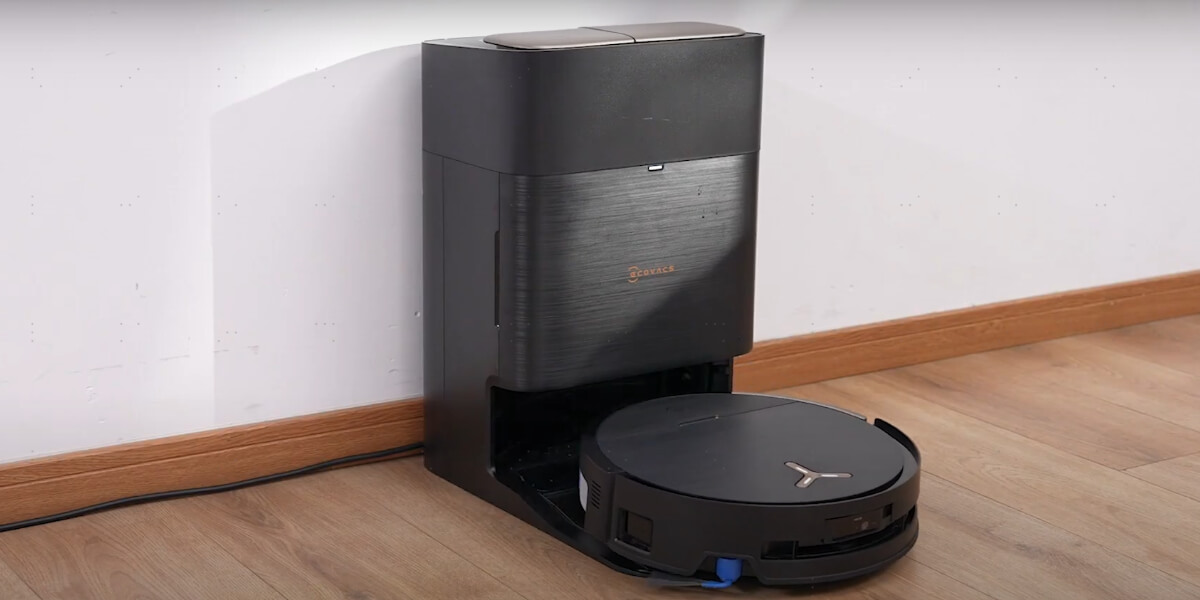
Check if the charging dock is plugged in and powered. Ensure the dock is on a flat surface against the wall. Look for dirt or debris on the charging contacts. Clean the contacts gently with a dry cloth. Make sure the vacuum aligns properly when docking. Misalignment can stop it from charging or moving.
Clearing The Path
Remove obstacles from the vacuum’s path. Small objects, cords, or rugs can block movement. Check under furniture for tight spaces. Vacuum sensors detect obstructions and may stop the robot. Keep floors tidy to allow smooth navigation. Clear off any tangled hair or dust on wheels.
Verifying Battery Charge
Check the vacuum’s battery level on its display or app. A low battery often causes it to stop moving. Leave the robot on the dock for several hours. Confirm the charging light is on and steady. Replace the battery if it no longer holds charge. A healthy battery is essential for proper movement.
Fixing Movement Problems
When your robot vacuum refuses to move, it can be frustrating and disrupt your cleaning routine. Movement issues often stem from simple problems that you can fix yourself. Addressing these issues quickly helps your vacuum get back to work without the need for costly repairs.
Cleaning Wheels And Brushes
Dirt, hair, and debris can get tangled around the wheels and brushes, blocking movement. Take a close look at the wheels—are they spinning freely? Remove any hair or string wrapped around the axles.
Don’t forget the brushes underneath the vacuum. Clean them thoroughly to ensure they rotate smoothly. A quick cleaning session often restores your vacuum’s mobility instantly.
Resetting Sensors
Robot vacuums rely on sensors to navigate and avoid obstacles. If sensors are dirty or misaligned, the vacuum may think it’s stuck and stop moving. Gently wipe the sensors with a soft, dry cloth to clear dust or smudges.
After cleaning, check if the vacuum still hesitates to move. Sometimes, resetting the sensors by turning the vacuum off and on again recalibrates its navigation system. Have you checked your sensors lately?
Rebooting The Vacuum
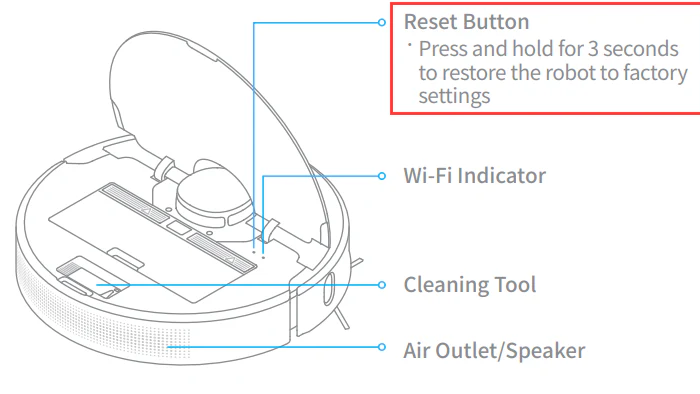
Just like any electronic device, your robot vacuum benefits from a reboot. Power it off completely, wait for about 30 seconds, then turn it back on. This simple step can clear software glitches that freeze its movement.
If your vacuum has an app, try restarting it there as well. A fresh start often solves unexpected pauses or errors in the system. Could a quick reboot be the fix you overlooked?
When To Update Firmware
Firmware controls how your robot vacuum works. Updating it can fix bugs and improve performance. Sometimes, outdated firmware causes your vacuum to stop moving. Knowing when to update helps keep your device running smoothly.
Checking For Software Updates
Check your robot vacuum’s app or website for updates. Most brands send notifications when new firmware is available. You can also visit the support page of the manufacturer. Updates often come with instructions for easy installation.
Benefits Of Firmware Upgrades
- Fix bugs that cause the vacuum to stop moving
- Improve navigation and cleaning efficiency
- Add new features and functions
- Enhance battery life and power management
- Increase device security against vulnerabilities
Keeping firmware updated ensures your vacuum works at its best. It reduces errors and extends the life of the device.
Preventive Tips To Avoid Future Issues
Preventing your robot vacuum from stopping unexpectedly saves time and effort. Simple steps can keep it running smoothly. Regular care and smart habits reduce the chance of future issues. Follow these tips to protect your device and enjoy hassle-free cleaning.
Regular Maintenance Routines
Clean brushes and filters often to avoid blockages. Check wheels and sensors for dust or hair buildup. Replace worn parts quickly to maintain performance. Schedule a weekly check to catch small problems early.
Keeping Floors Clear
Remove toys, cables, and small objects from the floor. Clutter can block the vacuum’s path or wheels. Clear spaces let the vacuum move freely and clean better. Use bins or shelves to keep areas tidy before cleaning.
Proper Storage And Charging
Store the vacuum in a dry, safe place away from dust. Keep the charging dock on a flat surface with room around it. Charge the vacuum regularly to keep the battery healthy. Avoid leaving it unused for long periods without charging.

Credit: www.youtube.com
Credit: www.tomsguide.com
Frequently Asked Questions
Why Is My Robot Vacuum Stuck And Not Moving?
Your robot vacuum may be stuck due to obstacles, tangled brushes, or uneven surfaces. Clear its path and check for debris blocking wheels or sensors.
How Do I Reset My Robot Vacuum If It Won’t Move?
To reset, turn off the vacuum, remove the battery if possible, wait 30 seconds, then restart. This can fix minor software glitches.
Can Low Battery Cause My Robot Vacuum To Stop Moving?
Yes, a low battery can prevent movement. Ensure the vacuum is fully charged before use to maintain proper operation.
What Sensors Affect My Robot Vacuum’s Movement?
Cliff sensors and wheel sensors detect edges and obstacles. Dirty or malfunctioning sensors can stop the vacuum from moving correctly.
Conclusion
A robot vacuum that does not move can be frustrating. Check the power and battery first. Clear any stuck debris or obstacles around the wheels. Make sure the sensors are clean and working well. Reset the vacuum if it is frozen or unresponsive.
Regular maintenance helps avoid these issues. Small fixes often restore normal function quickly. Keep your vacuum ready to clean by following these tips. Troubleshooting is simple and saves time. Your robot vacuum can work smoothly again with some care.